Hope Terminal
The Hope Terminal is where everything connects together. The mixer, laptop, router and power extension are all permanently fixed inside the luggage. Once we turn on the system, it’s all ready to go.
Placement
Section titled “Placement”Infront of the table, just behind the vocalist. Put it a bit to the back so that people don’t trip on it.
What’s in it
Section titled “What’s in it”The Luggage functions as 2 things:
- As a place to store all our cables and miscellaneous equipments
- Where all the fixed equipments lives
Here’s some picture to guide you on what is here. It’s quite compact.
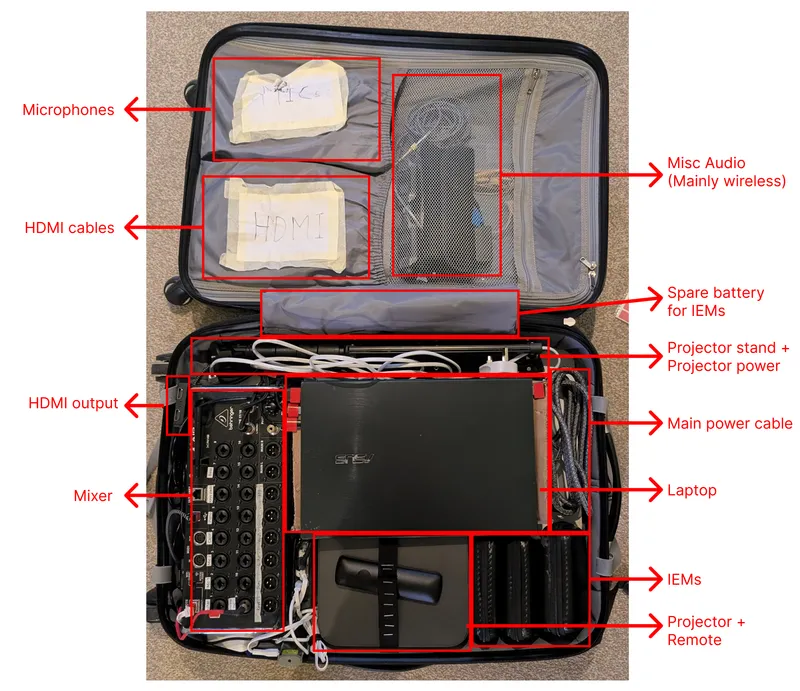
Looking closer to the bottom left corner:
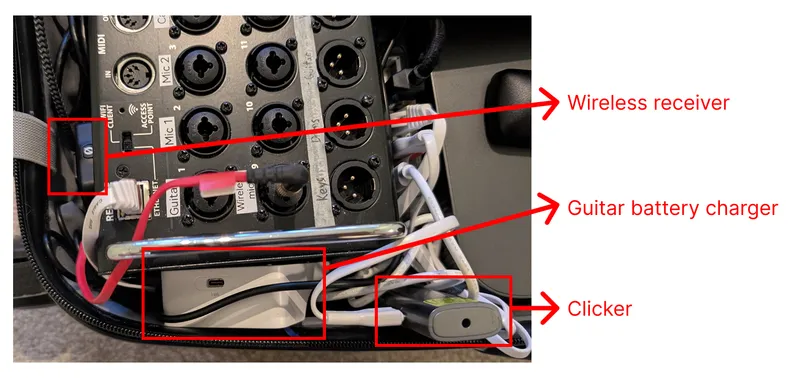
And if we open the other side, we reveal a storage compartment
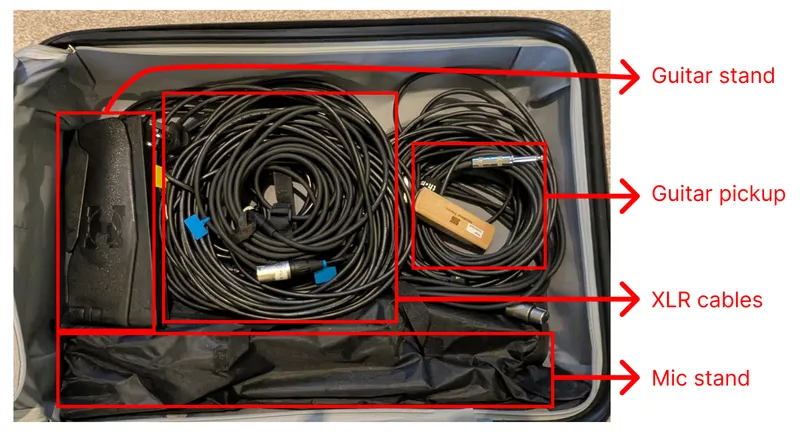
Setting up Hope Terminal is very straightforward. Most things doesn’t need to be unplugged. Many of them are indicated with a red label, meaning that you do not need to mess with it.
To get it running, simply plug the main power cable indicated in the first picture into the power socket in the building.
And then, simply open the Laptop and press the power button for 2 seconds to turn it on.
That’s it!
Step-by-Step
Section titled “Step-by-Step”-
Open the luggage
- Place it behind in a convenient position
-
Plug main power cable to power socket
- Power cable is on the right-hand side of the luggage (see the picture)
-
Turn on Laptop
- Open the lid
- Hold the power button (top right) for 2 second