Guitar
Checklist
Section titled “Checklist”Guitar setup checklist
This is a condensed checklist if you already know what everything does. For more info on each, read on below
Guitar
Pedal
Placement
Section titled “Placement”Either the left or right of the vocals

At the core of it, the setup is simple the guitar plugged into the guitar pedal, and then plugged into the Mixer:
Guitar -> Pedal -> Mixer
Here’s the guitar pedal. You can find it in the guitar bag. All the cables you need should be in this bag too.
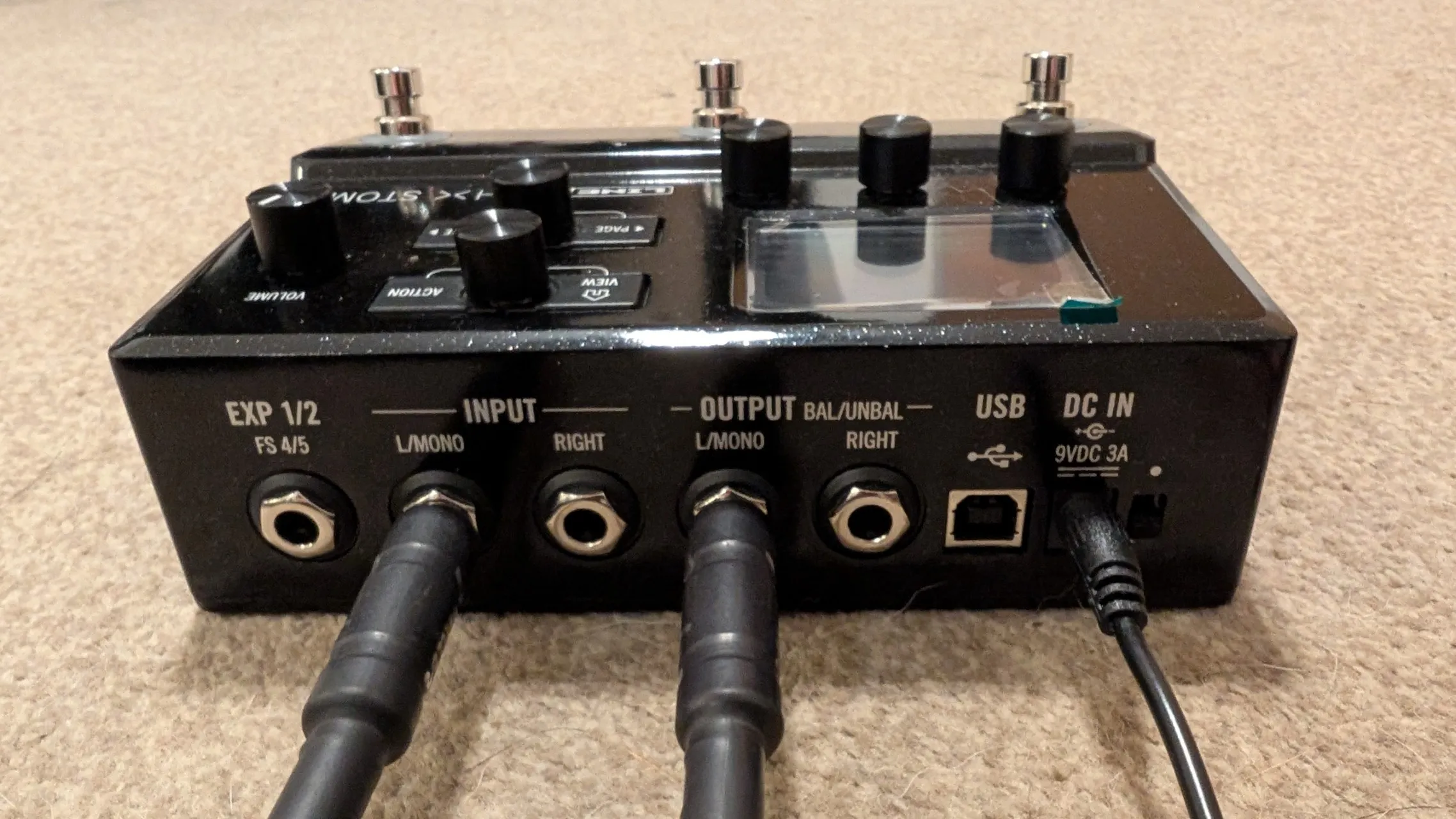
From left to right:
- Input L/MONO goes to Guitar. You can use the longer cable so that the guitarist can move easier
- Output L/MONO goes to the Mixer. There is a label in the mixer to indicate where to plug it into.
- Power cable to socket
To turn the pedal on, there’s a small switch just on the right side of the power socket on the picture above.
Guitar Battery
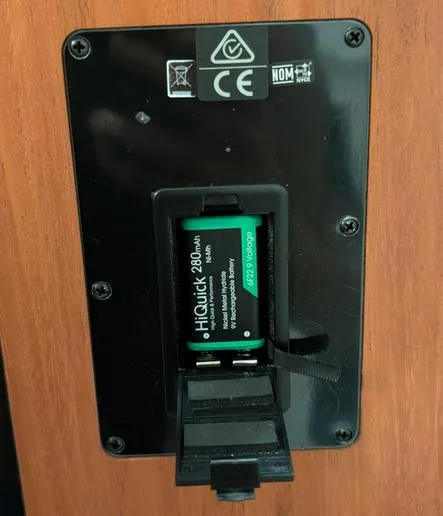
Section titled “Guitar Battery”For the Guitar to output through the cable, it needs a battery. On the back simply put one in. The battery should be in the front pocket of the guitar bag.
Step-by-Step
Section titled “Step-by-Step”-
Setup guitar stand & place guitar on it
- The stand is in the main box
-
Insert battery to guitar
- Battery is in the front pocket of the Guitar bag
- If using acoustic guitar, skip this - You’ll know it’s acoustic because there’s nowhere to put the battery in
-
Take out and place the Guitar pedal
- You can put it near the Guitar
-
Connect power cable to the pedal
- Power cable is in the guitar bag
- Connect to a power socket
-
Connect Audio jack cable from Pedal to the Mixer
- Cable is in the guitar bag
- You can use the shorter one
- Connect from Output L/MONO
-
Connect Audio jack cable from Guitar to Pedal
- Cable is in the guitar bag
- You can use the longer one
- Connect from Input L/MONO
-
Power on Pedal
- The switch is just next to the power socket on the pedal
Acoustic Guitar
Section titled “Acoustic Guitar”This section is only needed if we’re using an Acoustic guitar
When using Acoustic guitar, we need a pickup. This is device you see in between the hole:

To set this up, we simply set it up as the picture above, and connect the other end into the Pedal.
The rest is the same. And we can ignore the section about batteries.